• Home
  • About Us
  • Contact Us
  • RSS
June 8, Monday, 2026
  • Login
CELEBRITY LAND!
  • Home
  • Royalty
  • Royalty
  • Music
  • Entertainment
  • Celebrities
  • Artists
  • Videos
No Result
View All Result
  • Home
  • Royalty
  • Royalty
  • Music
  • Entertainment
  • Celebrities
  • Artists
  • Videos
No Result
View All Result
Celebrity Land
No Result
View All Result
Home Music

CarPlay in iOS 26 has my top new Apple Music feature, here’s how to use it

Story Center by Story Center
April 8, 2026
Reading Time: 4 mins read
0
CarPlay in iOS 26 has my top new Apple Music feature, here’s how to use it


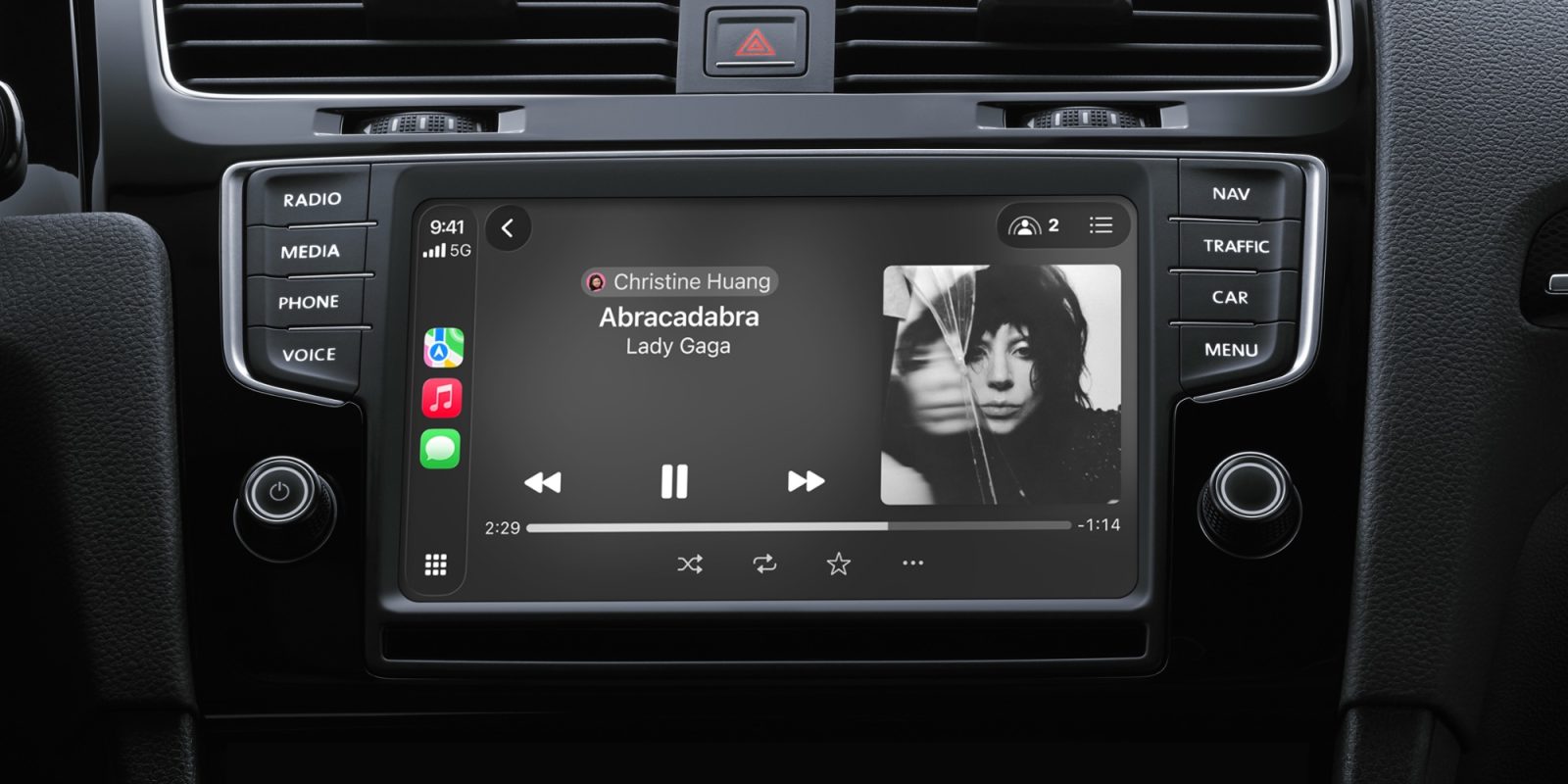
CarPlay just got new features in iOS 26.4, plus some exciting new apps, but one of my favorite recent features is an Apple Music change in iOS 26 that’s perfect for the car. Here’s how to use it.

Pins in Apple Music are a perfect fit for CarPlay, especially with one-tap playback setting
When iOS 26 launched last year, it fulfilled one of my long-standing feature requests for Apple Music.

RELATED POSTS

Things to do in Longmont on Sunday, June 7

Taylor Swift eyes eighth number one single with new Toy Story theme – Music News

South Arcade release new song ‘DEADMEAT’

The update added the option to pin music to the top of your Library. You can pin up to six artists, albums, playlists, or songs for convenient access.

I’ve wanted pinned music for years, and iOS 26 absolutely delivered. My only complaint is that I wish you could have more pins—nine would be great, like in the Messages app.

But one thing I didn’t realize right away was how much I would enjoy pins in CarPlay too.

Until recently I lived in Manhattan and didn’t own a car, but after moving to a suburban area, getting a vehicle was a day-one necessity. So for the last few months I’ve been enjoying CarPlay in my new vehicle, and pinned music has been one of the standout iOS 26 changes.

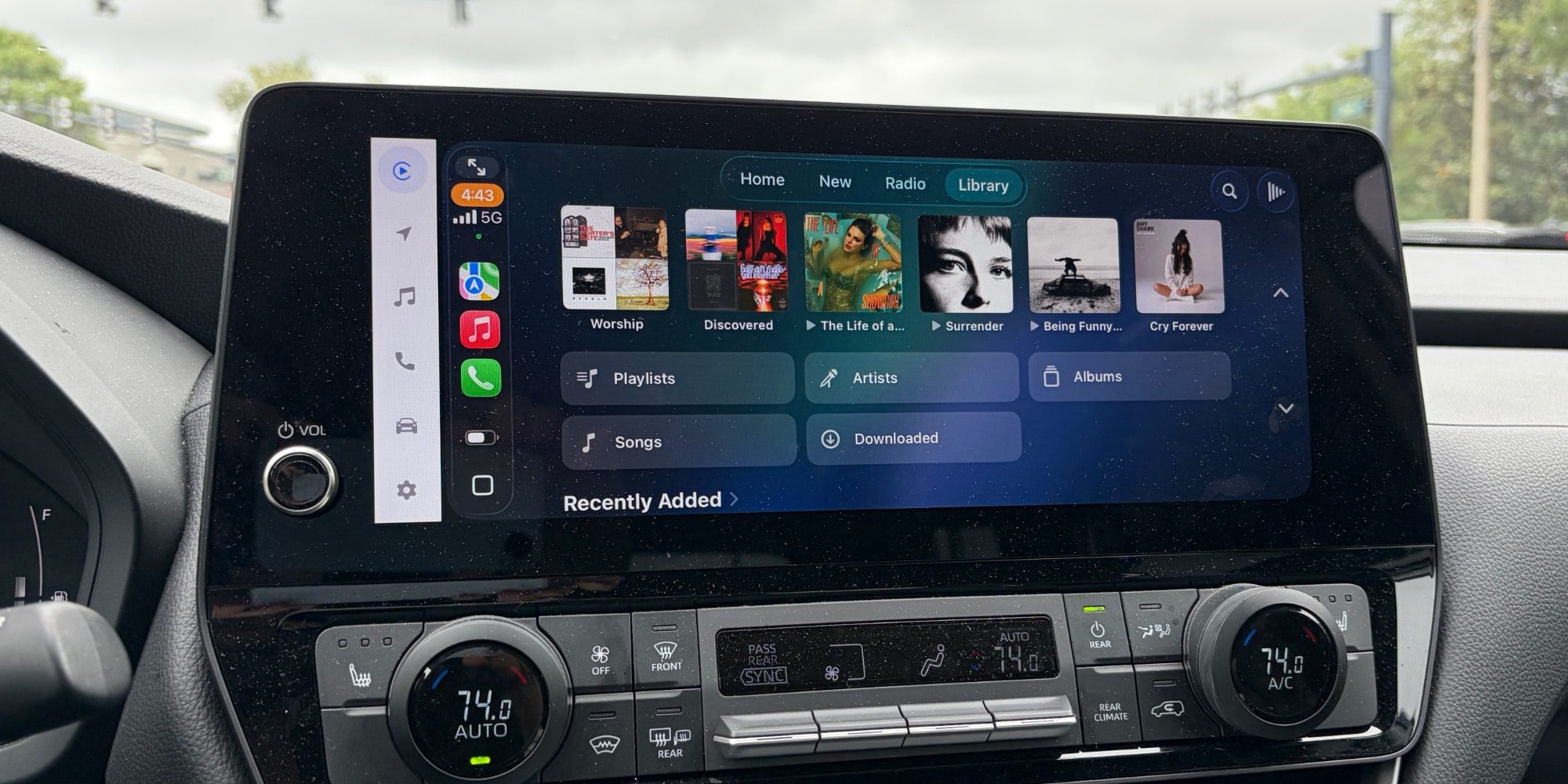
CarPlay automatically brings over all your pinned music from iPhone and puts it at the top of the Music app.

Much of the time when I’m driving, I use Siri for music requests. But pinned titles are another quick, convenient, and—most importantly—safe option.

ADVERTISEMENT

Tapping through a bunch of Music screens to find the right album or playlist tends to take too long. But pins are prominently displayed at the top of the Library screen. And if you configure them for one-tap playback on your iPhone, that same behavior carries over to CarPlay too.
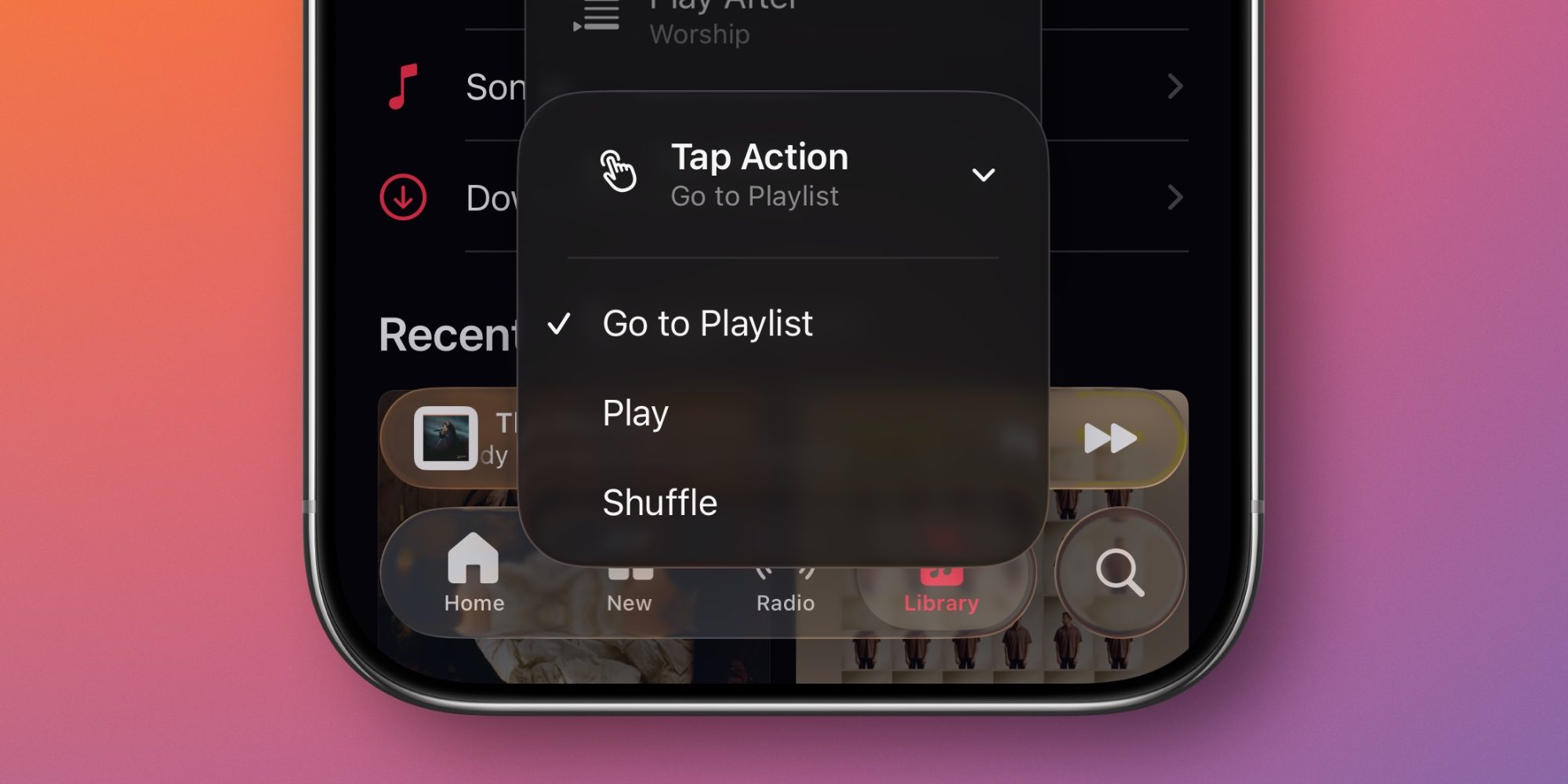
To set up Music pins, follow these steps:

  1. Open Music on your iPhone
  2. Long-press on any artist, album, playlist, or song
  3. Tap the ‘Pin’ button in the popup menu
  4. In the Library tab, find the new pin at the top of the screen and long-press it
  5. Change the ‘Tap Action’ to ‘Play’ for one-tap playback in the car

After setting up your pins, you won’t have to rely on Siri as much for music playback. Pins offer a great alternative for accessing your most commonly played music, without the annoying flubs Siri can bring.

Have you been using pins in Apple Music on iOS 26? Let us know in the comments.

Best CarPlay accessories


Add 9to5Mac as a preferred source on Google

FTC: We use income earning auto affiliate links. More.

‘ The preceding article may include information circulated by third parties ’

‘ Some details of this article were extracted from the following source 9to5mac.com ’

Story Center

Story Center

Related Posts

Things to do in Longmont on Sunday, June 7
Music

Things to do in Longmont on Sunday, June 7

June 8, 2026
Taylor Swift on recording a new album while on The Eras Tour: "I Needed to Wake My Brain Up" - Music News
Music

Taylor Swift eyes eighth number one single with new Toy Story theme – Music News

June 8, 2026
South Arcade release new song 'DEADMEAT'
Music

South Arcade release new song ‘DEADMEAT’

June 8, 2026
Best New Music This Week Poll: Taylor Swift, Role Model, Lizzo & More
Music

Taylor Swift’s ‘I Knew It, I Knew You’ Voted Best New Music This Week

June 8, 2026
Electronic Music Brand SANDBOX Unveils National Festival Series
Music

Electronic Music Brand SANDBOX Unveils National Festival Series

June 8, 2026
Changing Places In The Fire release new music video for 'The Epiphany Tree'
Music

Changing Places In The Fire release new music video for ‘The Epiphany Tree’

June 7, 2026
Next Post
Downtown Nashville to get movie theater, arcade, bowling spot

Downtown Nashville to get movie theater, arcade, bowling spot

Celebrity tattoo artist Kat Von D's black tulip field draws crowds to Vevay

Celebrity tattoo artist Kat Von D's black tulip field draws crowds to Vevay

Recommended Stories

Andrew Mountbatten-Windsor: Inside former prince’s reclusive life as ‘pathetic couch potato’

Andrew Mountbatten-Windsor: Inside former prince’s reclusive life as ‘pathetic couch potato’

May 16, 2026
Katseye Performs 'Pinky Up' at American Music Awards

Katseye Performs ‘Pinky Up’ at American Music Awards

May 26, 2026
Sylvan Esso Return With 'WDID,' Pull Music From Spotify

Sylvan Esso Return With ‘WDID,’ Pull Music From Spotify

September 30, 2025
Plugin Install : Popular Post Widget need JNews - View Counter to be installed

Ads

ADVERTISEMENT

Recent News

Never-Seen-Before Access To Jodhpur Maharani’s Royal Chamber!

Never-Seen-Before Access To Jodhpur Maharani’s Royal Chamber!

June 8, 2026
Theresa Randle and Martin Lawrence in 'Bad Boys'Credit: Columbia Pictures/courtesy Everett Collection

Ex of “Bad Boys” actress Theresa Randle claims she broke into his home, assaulted him

June 8, 2026
Select list of winners at the 2026 Tony Awards

Select list of winners at the 2026 Tony Awards

June 8, 2026

Categories

  • Artists
  • Celebrities
  • Entertainment
  • Gossip
  • Horoscopes
  • Music
  • Royalty
  • Videos

Contact Us

  • Privacy & Policy
  • About Us
  • Contact Us
  • DMCA Compliance
  • Terms and Conditions

© 2020 Celebrity.Land

Welcome Back!

Login to your account below

Forgotten Password?

Retrieve your password

Please enter your username or email address to reset your password.

Log In

Add New Playlist

No Result
View All Result
  • Home
  • Royalty

© 2020 Celebrity.Land